Bootstrap5 手风琴
手风琴是一个可以展开/折叠的垂直内容列表,可以单击来展开/折叠手风琴项。
基本
一个默认的手风琴组件,应该有一个默认展开的手风琴项。要呈现默认展开的手风琴项,需要2步:
- 内容:在
.accordion-collapse元素上添加.show类。 - 按钮:在
.accordion-button元素中删除.collapsed类,并将它的 aria-expanded 属性设置为 true。
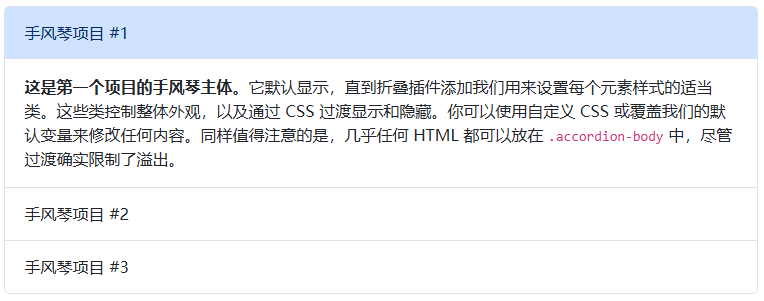
<div class="accordion" id="accordionExample">
  <div class="accordion-item">
    <h2 class="accordion-header">
      <button class="accordion-button" type="button" data-bs-toggle="collapse" data-bs-target="#collapseOne" aria-expanded="true" aria-controls="collapseOne">
        Accordion Item #1
      </button>
    </h2>
    <div id="collapseOne" class="accordion-collapse collapse show" data-bs-parent="#accordionExample">
      <div class="accordion-body">
        <strong>This is the first item's accordion body.</strong> It is shown by default, until the collapse plugin adds the appropriate classes that we use to style each element. These classes control the overall appearance, as well as the showing and hiding via CSS transitions. You can modify any of this with custom CSS or overriding our default variables. It's also worth noting that just about any HTML can go within the <code>.accordion-body</code>, though the transition does limit overflow.
      </div>
    </div>
  </div>
  ......
</div>
对齐
添加 .accordion-flush 类,以移除一些边框和圆角,使手风琴与其父容器边缘对齐。
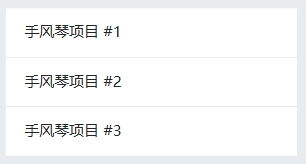
<div class="accordion accordion-flush" id="accordionFlushExample">
  ......
</div>
始终打开
省略每个 .accordion-collapse 上的 data-bs-parent 属性,以使手风琴项目在打开另一个项目时保持打开状态。